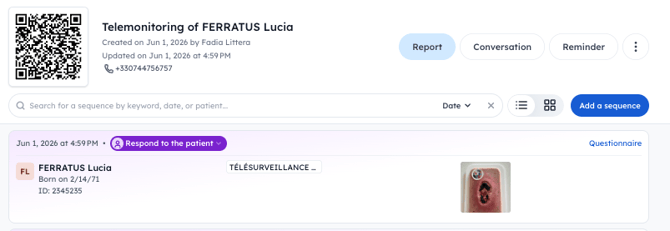
Two formats are available: monitored by the patient or by a home care nurse.
🔍 What is remote patient monitoring?
Remote patient monitoring enables:
- 🔁 Reducing unnecessary consultations
- 🚨 Earlier detection of complications
- 🏥 Strengthening the link between community and hospital care
Data (photos, questionnaire responses) are automatically integrated into the Pixacare app and accessible by the hospital care team.
👤 Option 1: Patient monitoring (self-monitoring)
🔧 Prerequisites:
- The patient has a smartphone
- You have set up a remote monitoring questionnaire
🎛️ Setup
-
Go to the patient profile in the Pixacare web app
-
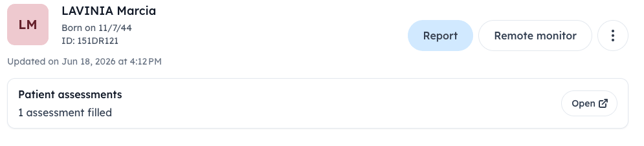
Click on the "Remote monitor" button
-
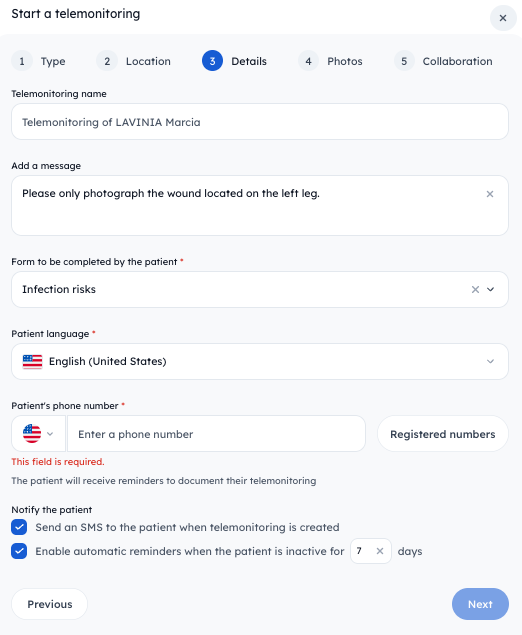
Choose "With a patient", select a group or department to add the assessments taken by the patient, and fill in the patient's details:
-
You can add existing assessments to the remote monitoring program or not.
-
Choose which Pixacare users you want to notify when the patient adds an assessment.
-
You can also provide the patient with the tutorial PDF (printed or by email), which includes all the information as well as the monitoring link that can be used at any time.
🪄 How does it work? ?
-
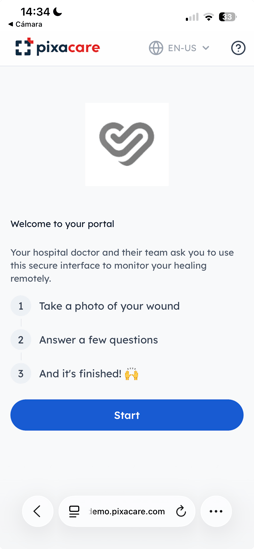
The patient receives a personalized SMS with a secure link
-
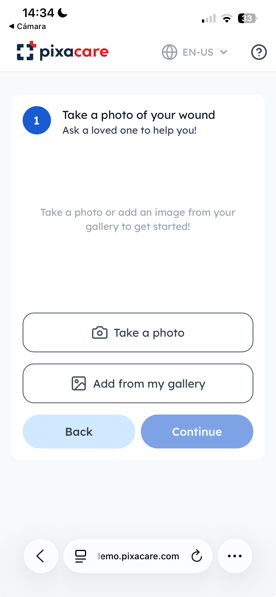
They click it and access a simplified interface to :
-
📸 Take photos of their wound
-
📝 Fill out a short questionnaire
-
-
The hospital team automatically receives:
- The images
- The responses
- And is notified in case of an alert (critical question, suspicious photo)
🩺 Option 2: Monitoring by a home care nurse
🔧 Prerequisites :
- The nurse must:
-
-
- Download the Pixacare mobile app
- Create a free account
-
🎛️ Setup
-
Go to the patient profile in the Pixacare web app
-
Click on the "Remote monitor" button
-
You can add existing assessments to the remote monitoring program or not.
-
Vous pouvez ajouter des séquences existantes au télésuivi ou non.
- Choose which Pixacare users you want to notify when the home care nurse adds an assessment.
- Generate the remote monitoring PDF to hand to the patient or send to the home care nurses by email.
🪄 How does it work? ?
- During the home visit:
- The nurse scans the patient's QR code (sent by the hospital or given to the patient)
- They access the monitoring interface to :
- 📸 Take photos of the wound
- 📝 Fill out the questionnaire from their phone
- Data is synced with the hospital's workspace in real time
✅ Best practices
- Patient:
- ⚠️ Use natural lighting
- 📏 Frame the wound properly (no zoom)
- 🔒 Never share the link with anyone else
- Home care nurse :
- 📶 Regularly check that all assessments are properly synced (see the related article)
🔎 Where to find remote monitoring?
You can access remote monitoring from both the mobile and web app by going to a patient's profile.
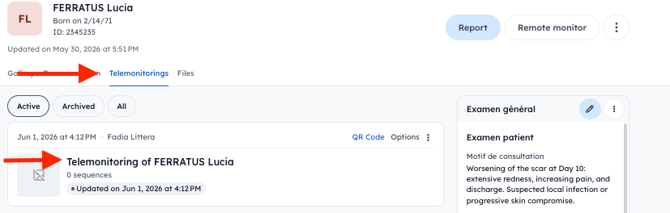
From the web app, you can also go to "My remote monitoring" to track all your patients. You will also have access to several additional options, such as resending the tutorial with the QR code or generating PDF reports.